
Which sites keep coming up?
See the sites cited in your saved answers, how often they appear and which AI platforms cite them. Give your channel research a concrete starting point.
 AnswerSift AI Citation Tracking
Planning product reviews, industry content or brand partnerships? Start with the websites AI already cites when people ask about products like yours.
Set up the keywords you care about, then use AI as you normally would. On sites where you enable tracking, AnswerSift saves matching conversations and available sources as you browse, giving you evidence to guide your research.
Chrome extension · Install from the Chrome Web Store
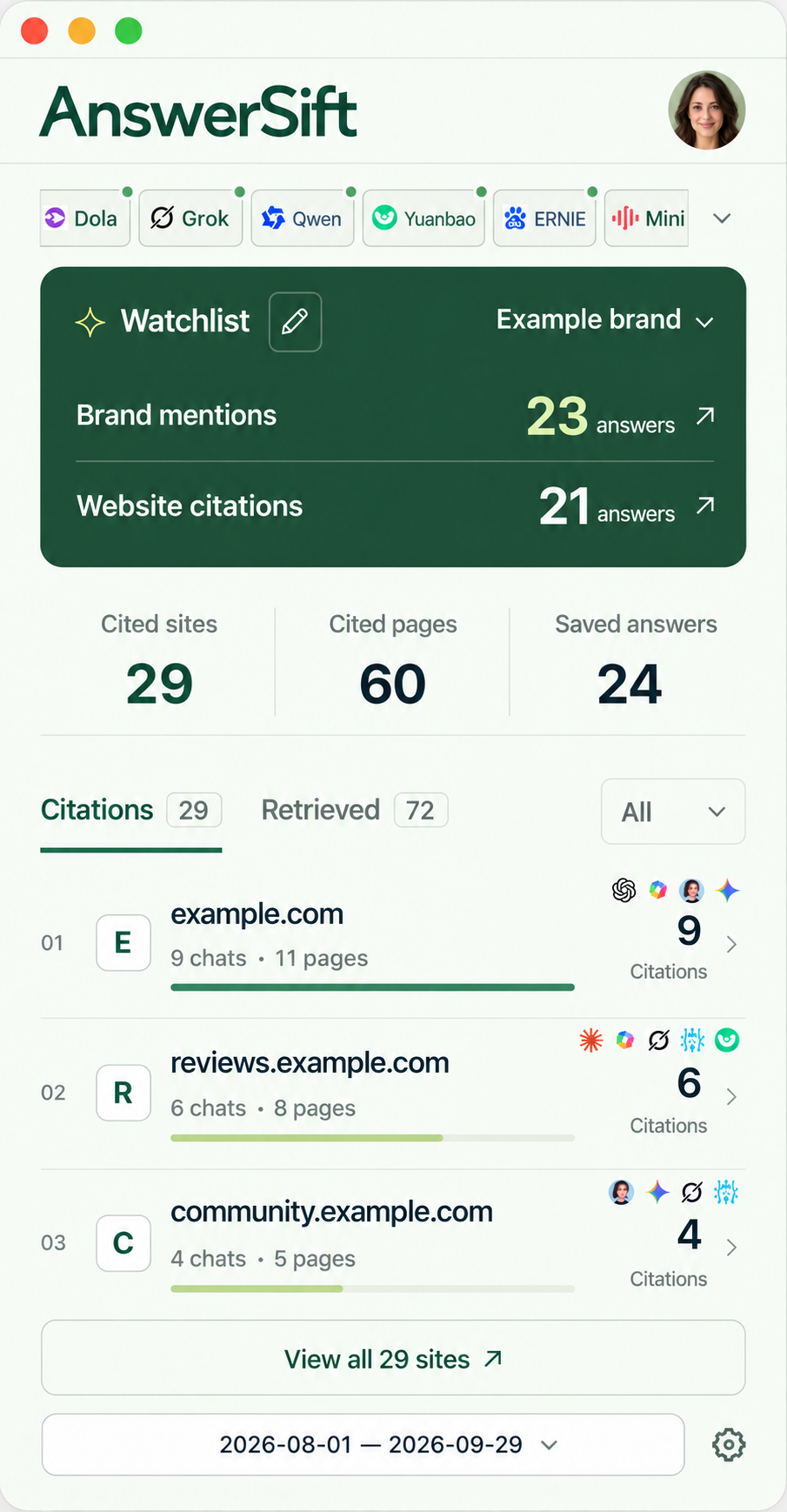
From the AI tools you use,
build a source library over time
 ChatGPT
 Gemini
 Claude
 Perplexity
 Doubao
 DeepSeek
Start with the question
AI recommendations depend on what people ask. Different products and questions can lead to very different sources.
See the sites cited in your saved answers, how often they appear and which AI platforms cite them. Give your channel research a concrete starting point.
Revisit the original question, saved answer and cited sources to see how the content relates to your product and your customers’ needs.
Review each site’s content, audience and verifiable partnership options before prioritizing reviews, content projects or outreach.
Get started
Spend less time copying links and maintaining a source spreadsheet by hand.
Install AnswerSift from the Chrome Web Store and sign in.
Name your group and add product or industry keywords. Brand names, aliases and websites are optional.
Turn on tracking for the AI sites you use and grant access to those sites.
Use your enabled AI sites. Matching conversations are added to your watchlist as you browse.
Create separate watchlists for different product lines. For research in another language, add keywords people use in that market.
The default rule matches any keyword. Use terms people actually search with; a long list is not the goal. Watchlists match content, not language, so overlapping keywords can put one conversation in several groups.
Inside AnswerSift
Explore the websites AI cites, the pages it references and the answers they appear in.
See how often each website appears in your captured answers, and find sources worth a closer look.
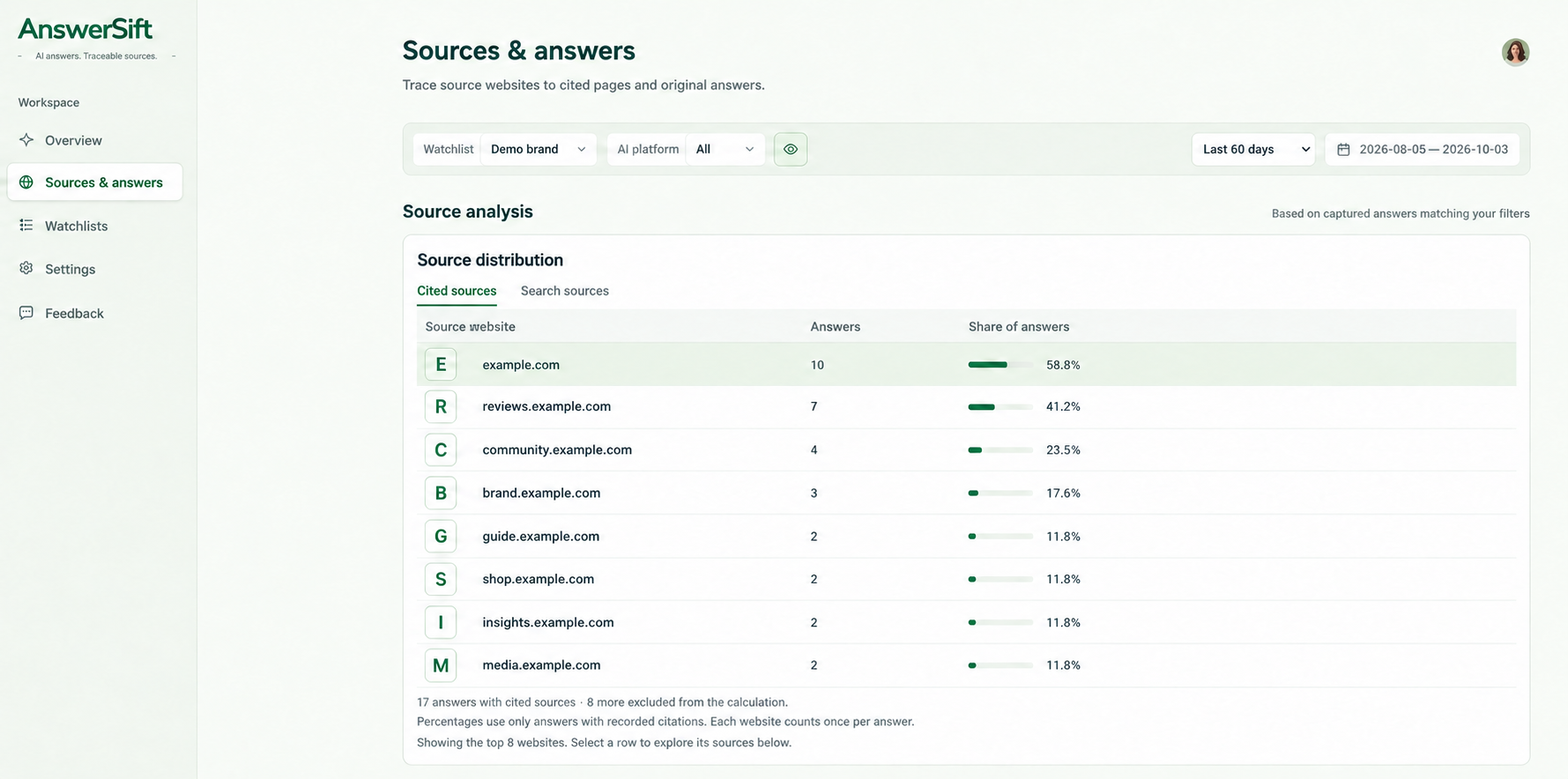
Compare citation counts, conversations and pages for each website, alongside the AI platforms that cite it.
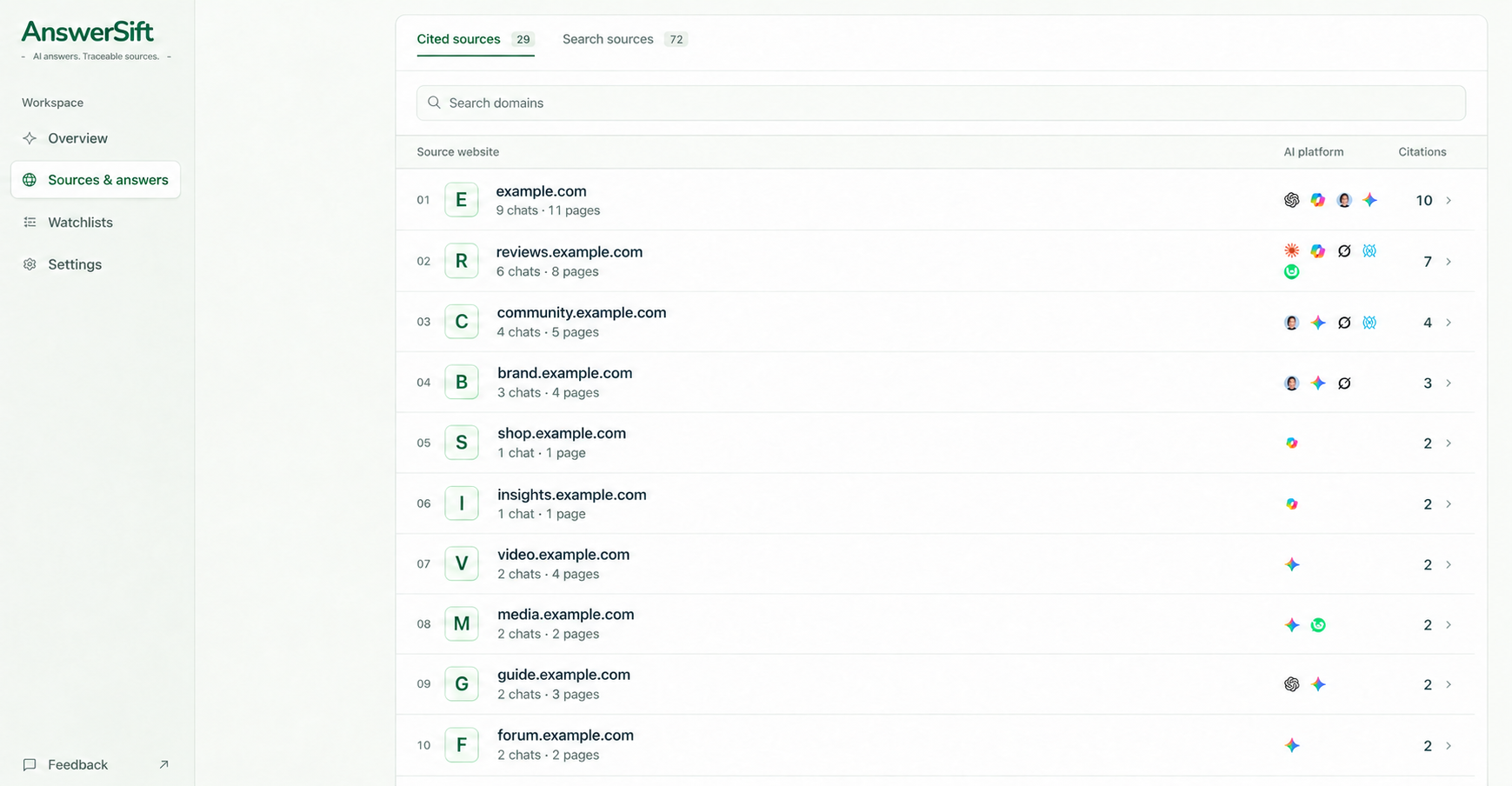
Open a source website to see its cited pages, then follow the trail back to the relevant answers.
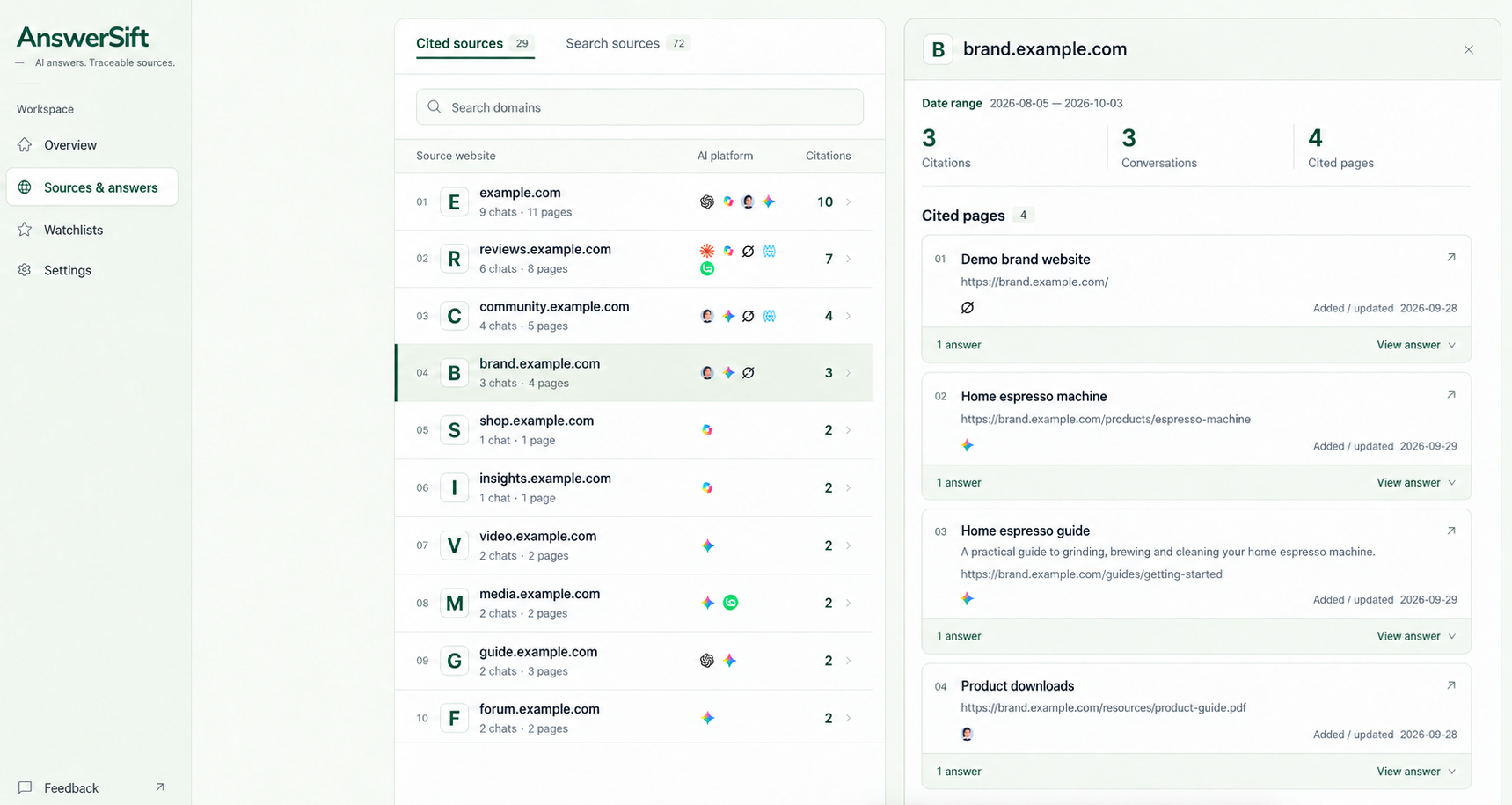
Look at the evidence
A citation alone tells only part of the story. Look at the question it appeared in and the claim it supported before deciding what it means for your business.
Open a saved record to review the question, answer and sources, then assess whether the content is relevant to your brand or product.
Whether an answer names your tracked brand or an alias.
Websites and pages explicitly cited in the final answer.
Search sources available on the page, including those not cited in the final answer.
Other links are kept separate so they are not mistaken for answer citations.
Turn research into decisions
Treat frequently cited websites as leads to investigate, then assess what each could offer.
Which questions bring this site up repeatedly? Are those questions close to what your potential customers need to know?
Is it a publication, independent reviewer, specialist community or brand website? Consider both its format and its audience.
Look for verifiable submission, review or partnership options. Consider which content approaches are worth learning from.
This site appeared repeatedly in our saved AI answers about this product. Its content is relevant to our customers, so it is worth evaluating first.
Review over time
Filter by AI platform, watchlist and date to explore how sources vary. When comparing periods, account for differences in questions, platforms and sample size.
Export CSV for further analysis. Export a JSON backup from data management in Settings.
Before you start
Understand what is recorded and what the data can tell you.
No. After setup, it collects content that matches your watchlist rules on AI sites where you have enabled tracking and granted access, along with sources available on those pages.
No. Start with a group name and product or industry keywords. Brands, aliases and websites are optional. Brands and aliases also help match conversations; websites let you review related results within saved answers.
Counts are deduplicated by answer: several citations of the same website in one answer count once. The totals describe your saved sample, not all answers across a platform or its users.
These sources can guide your content and channel research, but they do not guarantee a brand mention or product recommendation. Retrieved and cited content is only one input to an answer; citations alone do not explain every recommendation.
Yes. Create separate watchlists with keywords for each product and language. Matching is based on content, with no automatic language separation. A conversation containing overlapping keywords can appear in more than one group.
AnswerSift · AI Citation Tracking
Create a product watchlist and start building a source library you can return to.
View and install in the Chrome Web Store